The book is just the beginning.
Scan the QR inside any Studymaxx book to unlock its sample papers — chapter-wise practice and full-length mock tests, built on the latest exam pattern and ready on any device. One code, no app, no password.
This is what a scan unlocks.
From the QR inside your book to exam-ready practice — here’s the whole journey.
Open your verified library
Scan the QR inside your book and your personal dashboard opens — verified to you, with a one-time code and no password to remember.
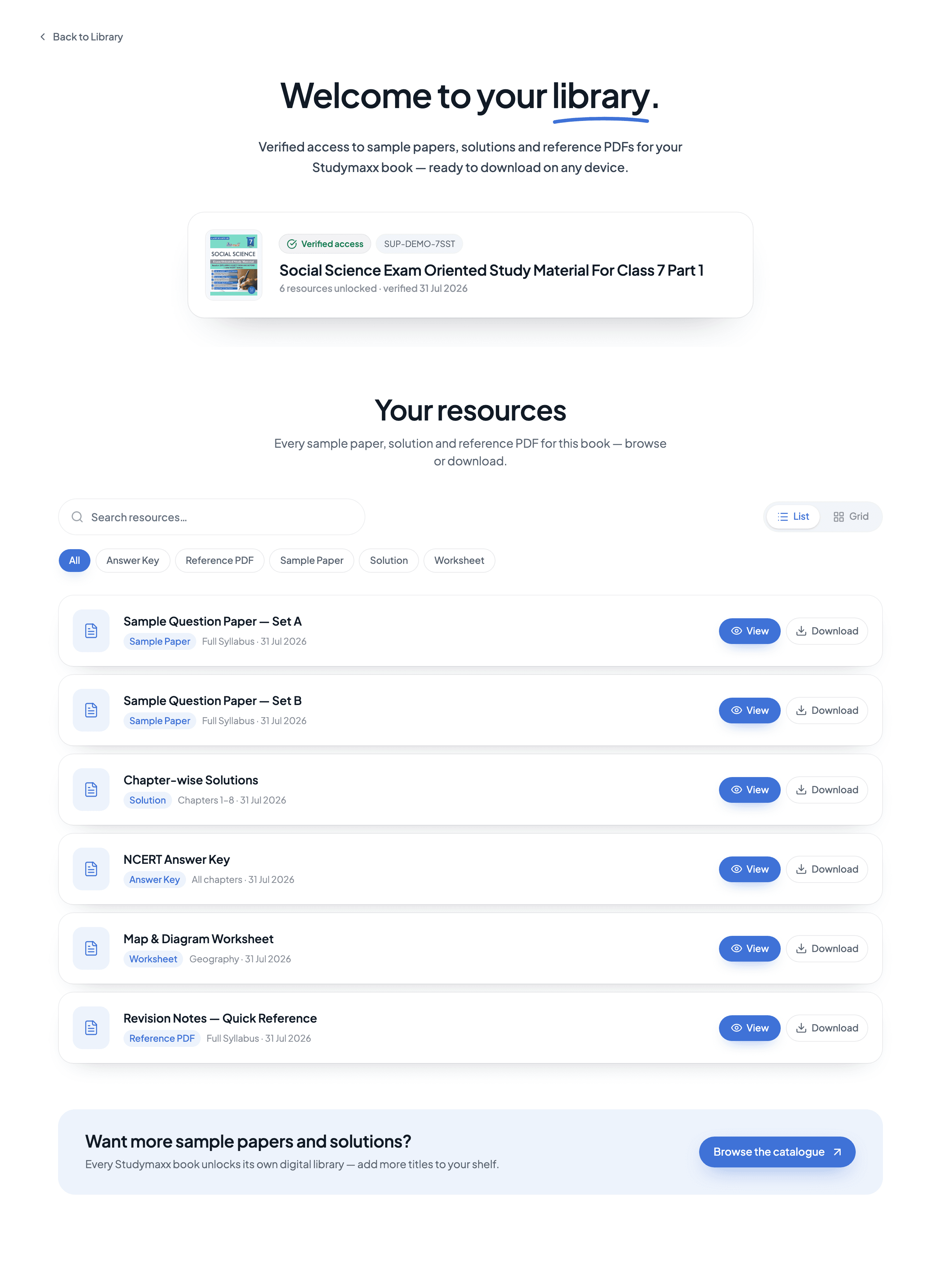
Browse your sample papers
Every paper for your book in one place — chapter-wise practice and full-length mock tests, built on the latest exam pattern.
Download and practise anywhere
Open a paper on any device or download it to practise offline. Come back any time — your library stays with the book, for free.
Questions, answered.
The short version of everything parents and students ask us before they scan.
Still stuck? Reach the support team
Is the digital library free?
Yes. It comes with the book — no subscription, no unlock fee. Everything on the dashboard can be viewed and downloaded at no cost.
Which books include QR access?
Supported Studymaxx titles for Classes 6–8. The code is printed inside the front cover, next to your book’s support details — if your book has one, it works.
What does my child sign in with?
An email address or a phone number — we send a six-digit code, so there is no password to set or remember. A parent’s email or phone works fine for younger students.
Do I have to scan the QR every time?
No. The first scan links the book to your account. After that the dashboard is always available at studymaxx.in/support, on any device you sign in from — the QR is just the quickest way back in.
Can I download and print the papers?
Yes. Every resource is a PDF — read it in the browser, download it, or print it and practice on paper. New sets are added through the session, so the dashboard is worth revisiting.
The QR opened the wrong papers — what should I do?
First check you’re signed in with the same account that scanned the book. If it still doesn’t match, reach the support team with the SUP- code shown on your dashboard and we’ll fix the link.